AI Governance with Microsoft Purview: Where Teams Should Start
• Nathaniel Miller
Your team is adopting Copilot, Foundry-hosted models, and local RAG pipelines faster than most compliance programs can keep up. AI governance with Microsoft Purview starts in a different place than another AI portal: it starts with knowing where your data lives, who owns it, and which AI workloads can touch it.
That is the core message from Spike Xavier’s StormWind session, An Introduction to AI Governance with Microsoft Purview. The tools have largely settled. The architectures feeding those tools have not. If you build the data framework first, Copilot, agents, and on-prem models inherit the same rules.
Purview stays useful when AI architectures keep changing, because it governs the data layer first.
What Microsoft Purview Does in an AI World
Microsoft Purview is a data governance, risk, and compliance suite. In an AI context it helps you:
- Discover and classify sensitive information across Microsoft 365 and connected estates
- Define governance domains and owners (often aligned to HR, finance, operations, and similar)
- Monitor how users and AI systems interact with that data
- Measure progress against regulation templates in Compliance Manager (HIPAA, PCI DSS, NIST, ISO, and more)
Spike’s useful reframe: stop treating every AI product rename as a new security project. Focus on the containers of data. If a resume, patient record, or customer file is marked protected, the answer stays no whether the request comes from a human, Copilot, or a custom agent.
Microsoft’s Five Steps to Onboard Purview
Microsoft publishes a practical onboarding path. Spike walks through it as the foundation before AI-specific controls:
- Set up rules and permissions. Assign a data governance administrator. Global Admin is not enough for the advanced Purview surface. Set organization, catalog, and domain-level permissions.
- Create governance domains. Domains often map to departments. Add glossary terms so people, apps, and Purview share one vocabulary for what data means. Glossary terms are not sensitivity labels today. Do not confuse the two.
- Register your data estate. Decide which SharePoint sites, file shares, Azure stores, Teams content, Copilot prompts, and RAG source systems Purview should cover. Your full estate is “everything.” Your governed estate is what you choose and can afford to scan.
- Publish data products. Attach owners, stewards, lifecycle expectations, and product access request policies so accountability is explicit.
- Set up data quality. Run quality rules so consumers trust what they pull into analytics and AI pipelines.
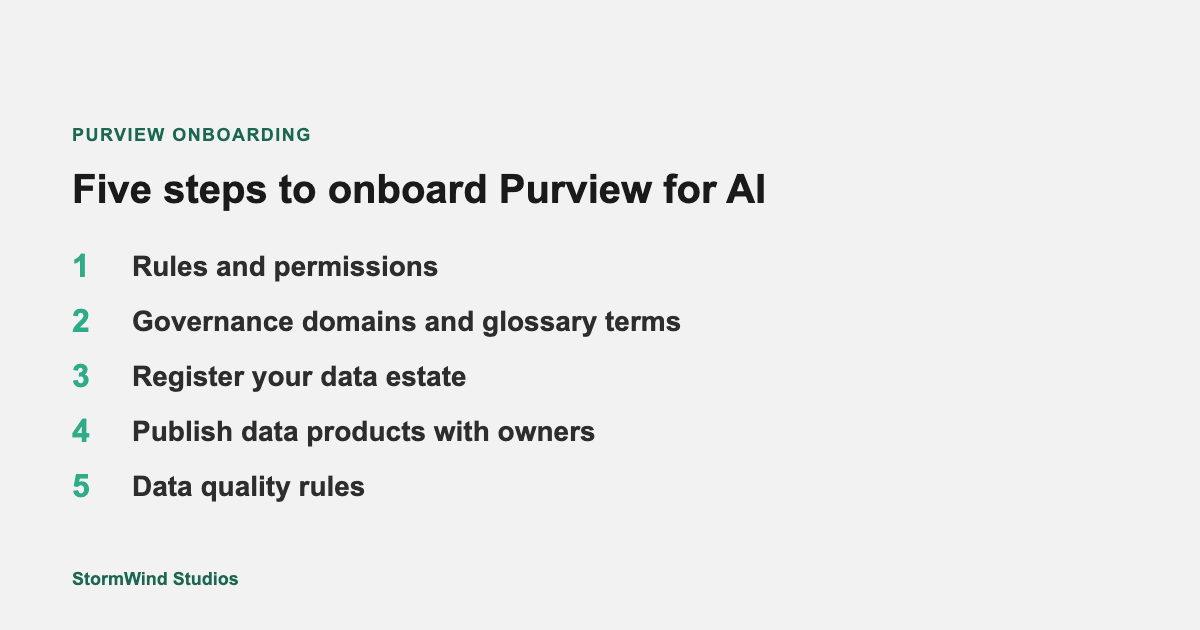
UI setup can take hours. Org decisions behind each step can take weeks or months.
Spike’s operational warning: the wizard looks simple. Filling it out honestly is not. Large enterprises may need weeks of discovery before the forms make sense.
Licensing and Cost Reality Check
Much of Purview comes with Microsoft 365 enterprise licensing (for example E3 or E5), but casting a net across the full data estate often involves pay-as-you-go advanced features. Costs can spike when a quiet data source suddenly grows (Spike’s example: a sentiment feed that jumps from hundreds of posts a day to millions overnight).
Plan for:
- Predictable scans on static or archived stores
- Approval workflows before bulk uploads into governed locations
- Clear ownership of which domains justify advanced scanning
DSPM for AI: The AI-Specific Starting List
Once the catalog foundation exists, Microsoft’s Data Security Posture Management (DSPM) for AI guidance points teams toward actions such as:
- Activate Purview audit
- Install the Microsoft Purview browser extension for risky AI app activity
- Onboard devices into Purview
- Extend data discovery across registered sources
- Monitor Microsoft 365 Copilot, Fabric, and related AI interactions where supported
Classic DSPM and DSPM for AI experiences continue to evolve (Spike notes retirement timelines on older classic views). Start from the current Purview portal recommendations for your tenant rather than a static screenshot.
How This Ties to Training
Spike Xavier’s StormWind session gives IT, compliance, and security stakeholders a shared briefing before a deeper Purview or Microsoft 365 security path. Teams that need broader SCI vocabulary often start with SC-900. Administrators who will own information protection and DLP day to day typically go deeper in Microsoft 365 admin and security tracks such as MS-102.
Watch the Full Session
Spike’s full recording is free to watch on demand (no signup required to play):
Watch AI Governance with Microsoft Purview
On that page you can also join the list for upcoming StormWind webinars.
Next Steps for Your Team
- Name a data governance admin and draft domain owners.
- Inventory which stores feed Copilot, Foundry, or local models.
- Turn on audit and prompt visibility before a broad Copilot rollout.
- Pick one Compliance Manager template that matches your industry and measure the gap.
Questions about team training paths: [email protected].