Enterprise MCP Security: What IT Teams Should Know Before Connecting AI
• Nathaniel Miller
A developer stands up an MCP server over a customer database on Friday afternoon. By Monday, an AI assistant can query live records from a chat window. The demo impresses leadership. Security finds out on Tuesday.
That pattern is how enterprise MCP security becomes urgent: not because MCP is inherently unsafe, but because it makes powerful connections easy to prototype. Spike Xavier covers the same tension in StormWind’s MCP Servers: A Practical Introduction to the Model Context Protocol: MCP servers enable secure, structured connections when you design for security up front. Without governance, they amplify the same risks as any other over-privileged API.
Policy beats good intentions when AI assistants can reach production systems.
Why Connected AI Changes the Risk Profile
Traditional AI usage often stops at generated text inside a chat window. MCP adds actions and live context: file reads, database queries, API calls, and business-app operations exposed as tools.
Users already treat generative AI as another productivity app. MCP extends that habit into systems of record. Firewall rules and SharePoint permissions do not stop an assistant from calling an approved tool if the server credentials allow it.
The goal is not to ban MCP. It is to make risky paths visible, scoped, and auditable before they become normal.
Security Considerations Spike Covers in the Session
Spike frames enterprise deployment around familiar controls applied to a new integration shape:
- Authentication between clients and servers. Treat MCP like any service boundary. Use identity, tokens, or network controls that match your standards. Do not rely on “internal only” as a permanent answer.
- Tool scoping. Expose the minimum actions required. Read-only database views beat full-table access. Named API operations beat open-ended proxies.
- Credential lifecycle. Service accounts need rotation, revocation, and an owner. If you cannot disable a server in minutes, you are not ready for production.
- Logging and audit. Record which client invoked which tool, when, and with what outcome. AI speed makes after-the-fact forensics painful without logs.
- Environment separation. Lab servers should not point at production data by default. Promote patterns through the same change control you use for APIs.
- Human approval for high-impact actions. Some tools should require confirmation or role checks, not autonomous loops.
These themes mirror API gateway and service-account hygiene. AI adds urgency because prototypes go live quickly.
Ad Hoc Integrations vs Governed MCP Servers
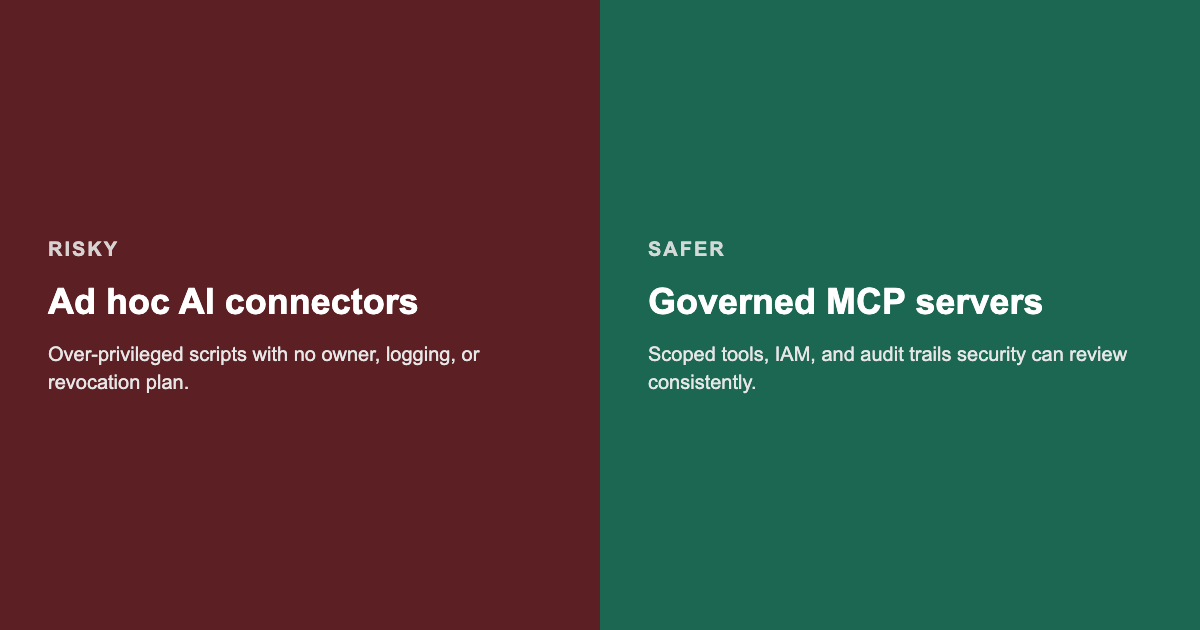
MCP gives security a standard shape to review. It does not remove the review.
A Practical Checklist Before Production
Use this as a working list for security, platform, and development leads:
- Inventory target systems. Files, databases, APIs, and business apps candidates for MCP exposure.
- Classify data. Mark stores that are permanently off limits for assistant access.
- Assign server owners. Someone must approve new tools and respond to incidents.
- Define auth model. How clients prove identity to servers, and how servers reach backends.
- Scope tools narrowly. Prefer read paths and approved actions over open-ended queries.
- Enable logging early. Before wider rollout, not after the first audit request.
- Run a threat review. Ask what happens if a client is compromised or a tool is misconfigured.
- Document approved clients. Which hosts may call which servers in each environment.
- Plan revocation. Disable a server and rotate credentials without a multi-day outage.
- Train builders and users. MCP Quick Reference material was offered to live attendees; replay viewers should still align on policy basics internally.
Where Training Fits
Technology without shared vocabulary stalls. Spike Xavier’s MCP session gives leaders and practitioners a common briefing on architecture, use cases, and security considerations before deeper implementation work.
For Azure AI fundamentals across services and responsible use patterns, see AI-900: Microsoft Certified Azure AI Fundamentals. For cloud identity and platform context administrators rely on when wiring integrations, AZ-900: Microsoft Azure Fundamentals covers the baseline.
Watch the full session
See Spike walk through MCP architecture, real-world use cases, and enterprise security considerations in the free on-demand replay:
Watch MCP Servers: A Practical Introduction to the Model Context Protocol
No form required to play. Optional signup on that page for upcoming webinars.
Closing
MCP rewards speed. Production data rewards restraint. The protocol gives teams a standard way to connect AI to enterprise systems. Your security program still decides what may cross the line.
If assistants are reaching internal systems before your review checklist exists, start with scoped lab servers, logging, and explicit tool ownership this week. Questions about team training paths: [email protected].