chmod: How to Change File Permissions in Linux
• Nathaniel Miller
Linux file permissions control who can read, write, and execute files, and knowing how to change them with chmod is a core skill for anyone working on Linux systems. This guide explains how permissions work and walks through changing them, both the numeric and symbolic way.
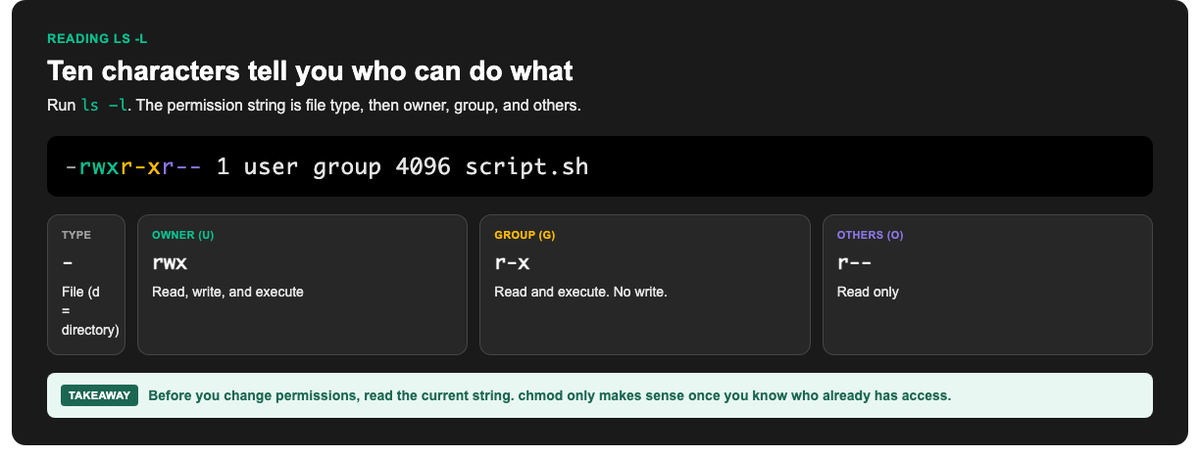
Read the permission string first. Then decide what chmod should change.
How Linux Permissions Work
Every file and directory in Linux has permissions for three categories of user:
- Owner (u): the user who owns the file
- Group (g): users in the file’s group
- Others (o): everyone else
For each category, there are three permission types:
| Permission | Symbol | Number | On a file |
|---|---|---|---|
| Read | r | 4 | View contents |
| Write | w | 2 | Modify contents |
| Execute | x | 1 | Run as a program |
Reading Permissions
Run ls -l and you will see something like:
-rwxr-xr-- 1 user group 4096 Jan 1 12:00 script.sh
That opening string breaks down as:
-: file type (- for file, d for directory)rwx: owner can read, write, executer-x: group can read and executer--: others can only read
Changing Permissions with chmod
The chmod (“change mode”) command sets permissions. There are two ways to use it.
Method 1: Numeric (Octal)
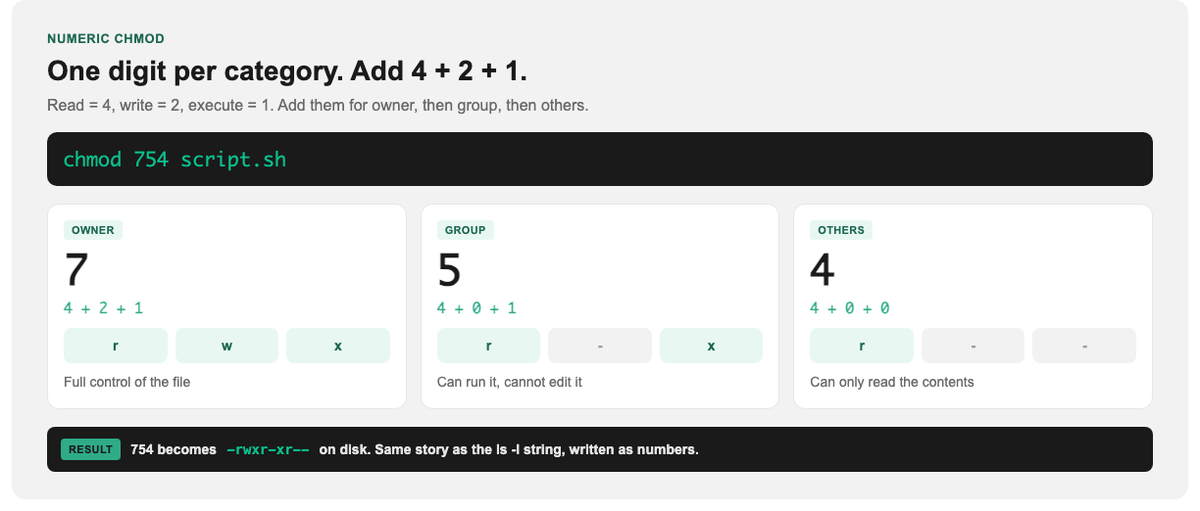
Add 4 + 2 + 1 for each category. One digit for owner, group, and others.
Add the numbers for each category: read (4) + write (2) + execute (1). You give one digit each for owner, group, and others.
chmod 754 script.sh
This means:
- 7 (4+2+1) = owner: read, write, execute
- 5 (4+1) = group: read, execute
- 4 = others: read only
Common values you will use constantly:
| Value | Meaning | Typical use |
|---|---|---|
644 |
Owner read/write; others read | Regular files |
755 |
Owner all; others read/execute | Scripts, directories |
600 |
Owner read/write only | Private files (keys, configs) |
700 |
Owner all; nobody else | Private scripts/folders |
Method 2: Symbolic
Use letters and +/- to add or remove specific permissions without recalculating everything:
chmod u+x script.sh     # add execute for the owner
chmod go-w file.txt     # remove write for group and others
chmod a+r file.txt      # add read for all (a = all)
Symbolic mode is handy when you just want to tweak one permission, for example making a script executable with chmod +x script.sh.
Changing Ownership: chown
Permissions decide what each category can do; chown decides who the owner and group actually are:
chown user:group file.txt
You will often use chmod and chown together when setting up files and services correctly.
Recursive Changes
To apply permissions to a directory and everything inside it, add -R:
chmod -R 755 /var/www/mysite
Caution: recursive changes are powerful and easy to get wrong. Applying execute permissions to every file, or loosening permissions on a system directory, can create security problems. Double-check the path before running a recursive command.
A Word on Security
Prefer 600, 644, or 755. Avoid 777 unless you have a rare, temporary reason.
Permissions are a security control, not just housekeeping. The guiding principle is least privilege: give each file the minimum permissions it needs. Avoid chmod 777 (everyone can do everything). It is a common shortcut that opens real vulnerabilities. Sensitive files like SSH keys should be 600, readable only by their owner.
Learn Linux Properly
File permissions are just the beginning of Linux administration. Users, processes, networking, and shell scripting all build on these fundamentals. StormWind Studios offers live, instructor-led Linux training where you practice real administration tasks with an expert on hand to explain the concepts and catch mistakes before they become habits.
Start with Enterprise Linux 8 System Administration, deepen your CLI skills with Advanced Bash Scripting, or continue into Enterprise Linux 8 Certified Engineer and Enterprise Linux Diagnostics and Troubleshooting.
Frequently Asked Questions
What does chmod 755 mean?
Owner can read, write, and execute (7); group and others can read and execute (5). It is common for scripts and directories.
What is the difference between chmod and chown?
chmod changes what actions are allowed (read/write/execute); chown changes who owns the file and which group it belongs to.
Is chmod 777 safe?
Rarely. It gives everyone full access, which is a security risk. Use the minimum permissions a file actually needs instead.
How do I make a file executable?
chmod +x filename adds execute permission. Then run it with ./filename.
How do I change permissions for a whole folder?
Use the -R (recursive) flag, for example chmod -R 755 foldername, but double-check the path first, as recursive changes affect everything inside.