Keep Sensitive Data Out of Public AI Tools (and Watch Copilot Prompts)
• Nathaniel Miller
An HR analyst exports a spreadsheet with employee names, IDs, and salaries. They upload it to a public chatbot and ask it to “group this for a leadership slide.” They finish the task in minutes. Your personally identifiable information may now live in a third-party model you do not control.
That scenario is how sensitive data leaves organizations through everyday AI tools, not through dramatic breaches. Spike Xavier covers the same risk pattern in StormWind’s An Introduction to AI Governance with Microsoft Purview: good intentions, no policy, irreversible upload.
Policy beats good intentions when PII meets a public model.
Why Traditional Controls Miss the New Path
Users already treat generative AI as another productivity app. They paste tickets, contracts, customer notes, and HR exports into whatever chat window answers fastest. Firewall rules and SharePoint permissions do not stop a copy-paste into a browser tab.
Microsoft Purview approaches the problem from the data side:
- Classify what is sensitive (and keep that classification consistent across the estate)
- Watch how people and AI systems interact with it
- Enforce DLP and communication compliance where the interaction happens
- Use DSPM for AI recommendations to close gaps across browser, network, and workload signals
The goal is not to ban AI. It is to make risky paths visible and blocked before they become normal.
Copilot Is Different from a Public Chatbot (Until It Is Not)
Microsoft 365 Copilot sits on your Microsoft 365 content: Exchange, SharePoint, OneDrive, Teams chats and channels, and connected apps. For licensed users, much of that interaction can be captured automatically for supported Copilot experiences and agents, then reviewed under Purview policy.
Two details from Spike’s session matter for rollout planning:
- Policy timing. Prompts and responses that occurred before a monitoring policy existed typically will not appear in Activity Explorer. Turn policy on before you scale seats, not after the first incident review.
- Work vs Web. Copilot’s Work context stays tied to your Microsoft 365 estate. Web-oriented usage is a different risk conversation. Train users on which mode fits which task, and back that training with monitoring.
Azure AI Foundry, Copilot Studio agents, and local RAG pipelines add more paths. Purview’s strategic bet (as Spike frames it) is still data-centric: if the resume domain says no, the agent does not get a free pass because a developer wired a new connector.
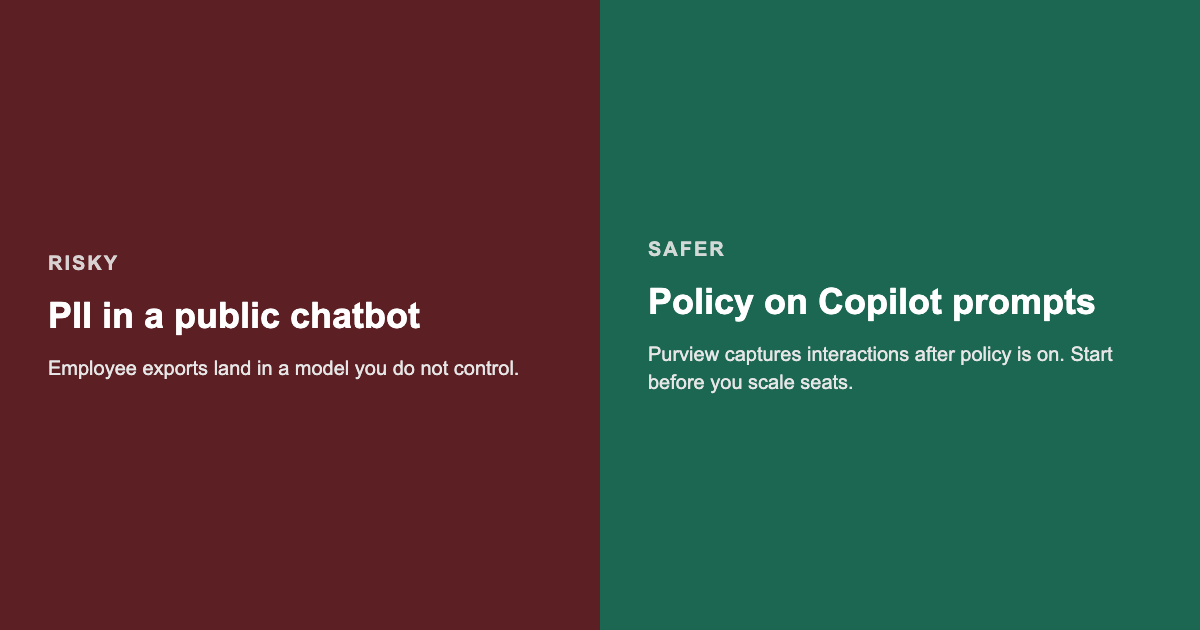
Public paste is the easy leak. Governed Copilot prompts still need policy turned on early.
A Practical Checklist Before AI Spreads
Use this as a working list for security, compliance, and M365 admins:
- Map high-risk data. HR, finance, health, and customer PII stores that people might paste into AI tools.
- Assign domain owners. Someone must own “no” for each sensitive domain.
- Activate Purview audit and confirm logging is healthy on older tenants.
- Create Copilot / AI interaction policies so new prompts and responses are visible going forward.
- Enable DLP for the workloads where sensitive types appear (email, SharePoint, endpoints as licensed).
- Deploy the Purview browser extension where you need insight into risky AI app use in the browser.
- Onboard devices into Purview for endpoint visibility.
- Load a Compliance Manager regulation template that matches your industry (HIPAA, PCI DSS, and others) and track improvement actions against the estate Purview already knows.
- Budget for pay-as-you-go scanning if you extend advanced governance beyond predictable Microsoft 365 content.
- Train the workforce on what must never leave: exports of PII, secrets, and regulated records into public models.
Where Training Fits
Technology without shared vocabulary stalls. Spike Xavier’s Purview AI governance session gives leaders and practitioners a common briefing on how sensitive data moves through public chatbots, Copilot prompts, and agent workflows.
For fundamentals across security, compliance, and identity, see SC-900. For administrators implementing information protection and DLP in Microsoft 365, MS-102 covers the operational layer.
Watch the Full Session
See Spike walk through Purview, DSPM for AI, and Copilot prompt visibility in the free on-demand replay:
Watch AI Governance with Microsoft Purview
No form required to play. Optional signup on that page for upcoming webinars.
Closing
Public AI tools reward speed. Sensitive data rewards restraint. Microsoft Purview will not replace judgment, but it can make the unsafe path hard and the governed path visible.
If your Copilot or AI rollout is ahead of your monitoring policies, start with audit, domain ownership, and prompt capture this week. Questions about team training paths: [email protected].