What Is MCP (Model Context Protocol) and Why It Matters
• Nathaniel Miller
Your team already uses AI assistants for drafts, summaries, and quick research. The bottleneck shows up when someone asks the model to pull live data from SharePoint, query a SQL database, or trigger an action in a line-of-business app. Copy-paste works once. It does not scale across departments, vendors, or security reviews.
That gap is where the Model Context Protocol (MCP) enters the conversation. MCP is an open standard for how AI clients connect to external data and actions through MCP servers. Instead of rebuilding a custom integration for every assistant and every backend, teams expose capabilities once and let multiple clients discover them through a shared pattern.
That is the core message from Spike Xavier’s StormWind session, MCP Servers: A Practical Introduction to the Model Context Protocol. AI tools only go as far as the systems they can reach. MCP gives IT, developers, and architects a practical vocabulary for making those connections secure, repeatable, and reviewable.
MCP starts with connections: files, databases, APIs, and business apps your assistants need to reach.
Why Traditional AI Setups Struggle with Business Data
Most generative AI experiences begin in a chat window. The model is strong at language. Your business data lives in file shares, databases, SaaS APIs, and internal applications. Bridging the two with manual exports creates friction and risk:
- Users paste sensitive snippets into public tools because it is faster than opening the right system
- Developers write one-off scripts that work for a demo but lack logging, auth, or lifecycle ownership
- Each AI host (IDE assistant, copilot-style app, custom agent) needs its own connector pattern
Spike’s useful reframe: the problem is not that AI lacks intelligence. It is that integrations are fragmented. When every project invents a new bridge, security and platform teams cannot keep up.
MCP does not replace your data platform or identity stack. It standardizes how an AI client asks an MCP server for context or actions, so reviewers know what to inspect.
MCP Architecture: Clients, Servers, and Tools
MCP breaks into three components most teams can map to projects they already run:
- MCP clients. The AI assistant or host application that needs context. This might be a desktop coding assistant, an enterprise chat host, or a custom agent runtime.
- MCP servers. The bridge between the client and your systems. A server might wrap a document library, a database connection, a REST API, or a business application endpoint.
- Tools. The specific capabilities a server exposes: search files, run a read-only query, fetch a record, or perform an approved action.
Clients discover servers and call tools through the protocol instead of hard-coding vendor-specific glue for every pair.
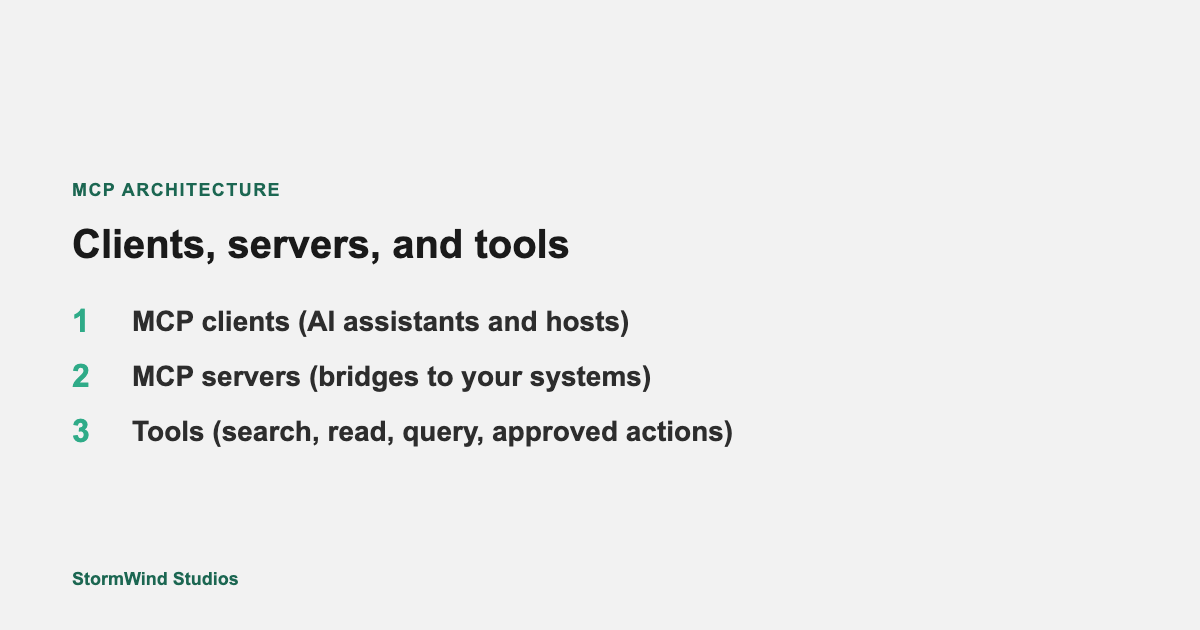
One server pattern can serve multiple clients. One client can use multiple servers without bespoke code for each backend.
Spike walks through this stack as architecture, not buzzwords. The syntax is learnable. The hard decisions are what to expose, who approves new tools, and how you monitor production traffic.
Real-World Use Cases
The session focuses on practical patterns teams are already exploring:
- Files and document stores. Assistants retrieve the right policy, contract, or runbook instead of guessing from stale training data.
- Databases. Read-scoped queries against approved views, with credentials managed like any other service account.
- APIs. REST or internal services wrapped as MCP tools so agents can call approved endpoints consistently.
- Business applications. Line-of-business systems become reachable through servers your developers or vendors can audit.
Each use case shares the same review questions: What data crosses the boundary? Who authenticates? What gets logged?
Why MCP Matters for AI Interoperability
AI vendors and host applications will keep changing names and features. MCP’s strategic value is interoperability: a common plug pattern across clients and servers so you are not rebuilding the same connector every quarter.
For enterprise teams, that means:
- Platform engineering can publish approved servers once
- Security can review MCP servers with the same mindset as APIs and service accounts
- Developers can experiment locally while following a production-shaped pattern
MCP will not fix unclear data ownership or missing IAM policies on its own. It does make connected AI easier to design, document, and scale.
How This Ties to Training
Spike Xavier’s StormWind session gives IT professionals, administrators, and developers a shared briefing before deeper AI integration work. Teams building on Microsoft Azure often start with AI-900: Microsoft Certified Azure AI Fundamentals for vocabulary across Azure AI services. Administrators who will own cloud foundations alongside AI projects benefit from AZ-900: Microsoft Azure Fundamentals.
Watch the full session
Spike’s full recording is free to watch on demand (no signup required to play):
Watch MCP Servers: A Practical Introduction to the Model Context Protocol
On that page you can also join the list for upcoming StormWind webinars.
Next Steps for Your Team
- List the three systems people already want AI assistants to reach.
- Sketch which would become MCP servers vs stay read-only exports.
- Assign an owner for auth, logging, and tool scoping before any production pilot.
- Watch Spike’s session with both developers and security in the room.
Questions about team training paths: [email protected].