What Is Microsoft Intune? A Plain-English Guide for IT Teams
• Nathaniel Miller
What is Microsoft Intune? It is Microsoft’s cloud service for managing and securing the devices and apps people use for work, including Windows PCs, Macs, iPhones, Android phones and some Linux machines. IT uses it to push settings and apps, enforce security rules, keep devices updated, and wipe company data from a lost or departing employee’s device, all from one web console with no on-premises servers.
Most organizations already pay for it. Intune Plan 1 is included in Microsoft 365 Business Premium, E3 and E5. Below: what it does, how it compares with Configuration Manager (SCCM), what it costs, and where to start.
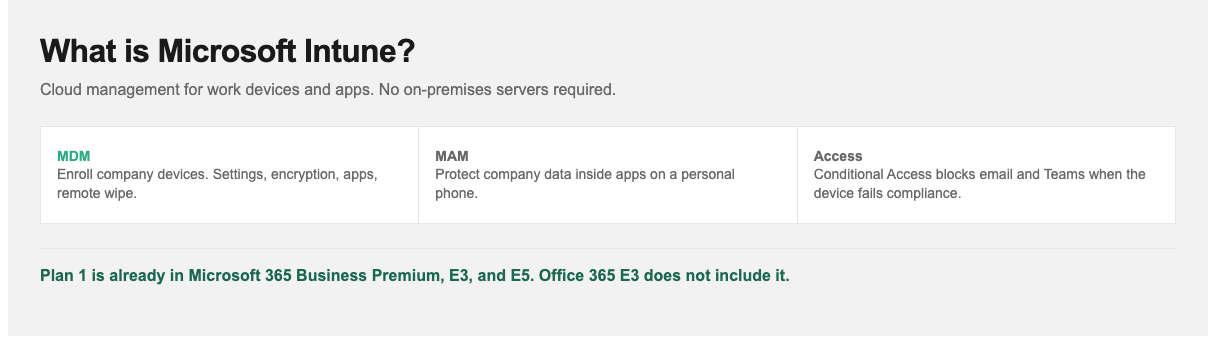
Device management is housekeeping. Conditional Access is what makes Intune a security control.
What Intune Does
| Capability | What it means in practice |
|---|---|
| Mobile device management (MDM) | Enroll company-owned devices and fully control them: settings, encryption, passcodes, Wi-Fi and VPN profiles, remote wipe. |
| Mobile application management (MAM) | Protect company data inside apps on personal phones without managing the whole device. For example, block copy-paste from Outlook to a personal app. |
| App deployment | Push and update apps (Microsoft 365, line-of-business apps, store apps) to the right users automatically. |
| Compliance policies | Define what a “healthy” device is: encrypted, patched, not jailbroken, antivirus running. |
| Conditional Access (with Entra ID) | Block access to email, Teams and SharePoint from devices that fail compliance. |
| Windows Autopilot | Ship a new laptop straight from the vendor to an employee. It sets itself up when they sign in. |
| Update management | Control when and how Windows and Office updates install, in rings or waves. |
| Endpoint security | Manage Defender antivirus, firewall, BitLocker and attack surface reduction rules from one place. |
The most important piece is Conditional Access. Device management on its own is housekeeping. Linking device health to access to company data is what turns Intune into a security control.
How Intune Works
- Identity first. Intune relies on Microsoft Entra ID (formerly Azure AD). Users sign in with their work account.
- Enrollment. Devices join Intune through Autopilot, Entra join, user self-enrollment through the Company Portal app, or Apple and Android business enrollment programs.
- Policies. IT assigns configuration, compliance and app policies to groups of users or devices.
- Check-in. Devices check in regularly, apply policy and report their status.
- Enforcement. Conditional Access reads that status every time someone tries to reach a company resource.
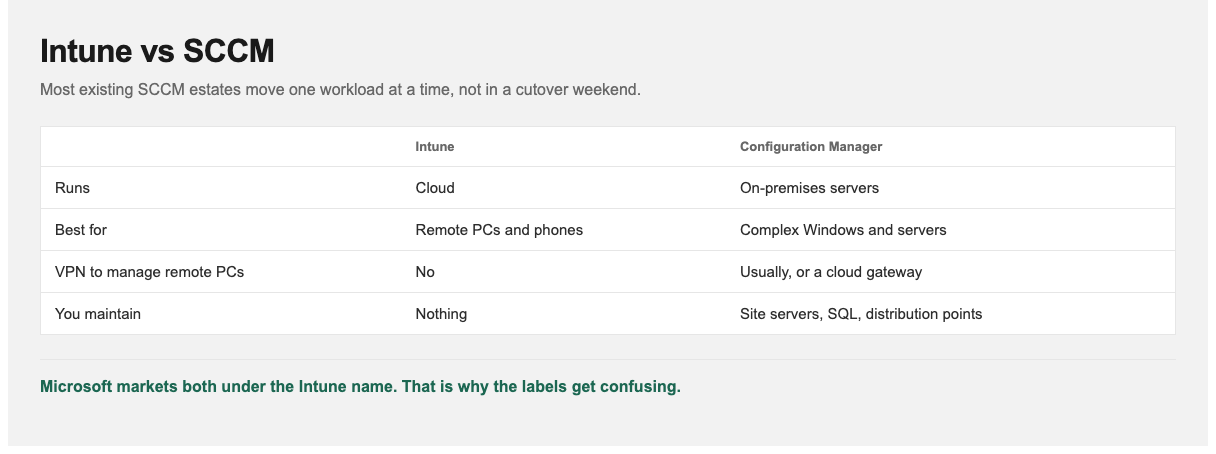
Co-management lets one Windows PC be managed by both while you move workloads over.
Intune vs SCCM (Configuration Manager)
| Microsoft Intune | Configuration Manager (SCCM / MECM) | |
|---|---|---|
| Where it runs | Cloud (SaaS) | On-premises servers |
| Best for | Remote and hybrid workforces, mobile devices, modern Windows | Complex on-prem Windows estates, server management, OS imaging |
| Devices | Windows, macOS, iOS, Android, Linux | Mainly Windows (and Windows Server) |
| Needs VPN to manage remote PCs? | No | Usually, or a cloud management gateway |
| Infrastructure to maintain | None | Site servers, SQL, distribution points |
This isn’t either/or. Co-management lets the same Windows device be managed by both, and you move workloads (compliance, updates, apps) to Intune one at a time. Most organizations with an existing SCCM investment take that route. Microsoft groups both under the name “Microsoft Intune” in its marketing, which adds to the confusion.
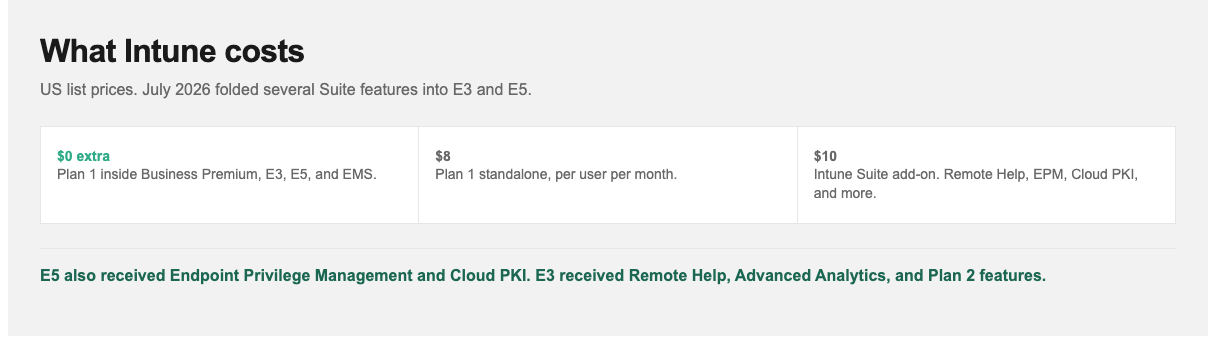
Check the SKU before you buy a standalone plan. Many teams already own Plan 1.
What Intune Costs
| Option | Price (US list) | Notes |
|---|---|---|
| Included in Microsoft 365 Business Premium, E3, E5 (and EMS E3/E5) | $0 extra | Most organizations already own Intune Plan 1. Check your licenses first |
| Intune Plan 1 standalone | $8.00 per user/month | Core MDM, MAM, compliance, app deployment |
| Intune Plan 2 add-on | $4.00 per user/month | Specialty devices, Microsoft Tunnel for MAM, firmware updates |
| Intune Suite add-on | $10.00 per user/month | Remote Help, Endpoint Privilege Management, Advanced Analytics, Cloud PKI and more |
From July 2026, Microsoft folded several advanced Intune capabilities (including Remote Help, Advanced Analytics and Plan 2 features) into Microsoft 365 E3 and E5, with E5 also getting Endpoint Privilege Management and Cloud PKI. Office 365 E3 does not include Intune, so check which SKU you have.
Where to Start: A First-Month Plan
- Confirm licensing and that users are synced to Entra ID.
- Set up app protection policies for Outlook and Teams on personal phones. This is quick to do and protects a lot of data.
- Create one compliance policy for Windows (BitLocker on, OS version, Defender running) and assign it in report-only mode.
- Pilot Autopilot with five new laptops.
- Turn on Conditional Access to require compliant devices, starting with IT staff, then expanding in rings.
Keep Conditional Access in report-only mode for at least a week before you enforce it, so you don’t lock out the CEO’s tablet on day one.
How StormWind Studios Approaches Intune
StormWind’s live Intune for Microsoft Enterprises course takes IT teams from enrollment through compliance, app protection and Conditional Access in a real tenant. Microsoft Endpoint Manager covers co-management with Configuration Manager, and Windows Updates Under Control with Microsoft Intune covers update rings and patching specifically.
Intune also features heavily in the identity side of security certification. See our Microsoft security certification path for where it fits.
Frequently Asked Questions
What is Microsoft Intune used for?
Managing and securing work devices and apps from the cloud: enforcing settings and encryption, deploying apps, controlling updates, and blocking unhealthy devices from company data.
Is Intune included in Microsoft 365?
Intune Plan 1 is included in Microsoft 365 Business Premium, E3 and E5, and in EMS E3/E5. It isn’t included in Office 365 E3 or Microsoft 365 Business Standard.
What is the difference between Intune and SCCM?
Intune is cloud-based and manages Windows, Mac and mobile devices anywhere. SCCM (Configuration Manager) runs on-premises and mainly manages Windows. They can co-manage the same devices.
Can Intune manage personal phones?
Yes. App protection policies (MAM) protect company data inside work apps without IT controlling the rest of the phone.
How much does Intune cost on its own?
Intune Plan 1 is $8 per user per month standalone. The Intune Suite adds advanced tools for $10 per user per month.
Can Intune wipe a lost device?
Yes. A full wipe resets a company-owned device. A selective wipe removes only company data and apps from a personal device.