Chmod Cheat Sheet: 755 vs 777 vs 644, Explained in One Table
• Nathaniel Miller
chmod 755 lets the owner read, write and execute, and lets everyone else read and execute. chmod 644 lets the owner read and write, and everyone else only read. chmod 777 lets everyone do everything, which is almost never what you want. Those three numbers cover most permission changes you will make on a Linux server.
This chmod cheat sheet is the quick reference: what each digit means, the common modes in one table, and the commands you will actually type. For the full walkthrough of ownership, symbolic mode and special bits, see our complete guide on how to change file permissions in Linux.
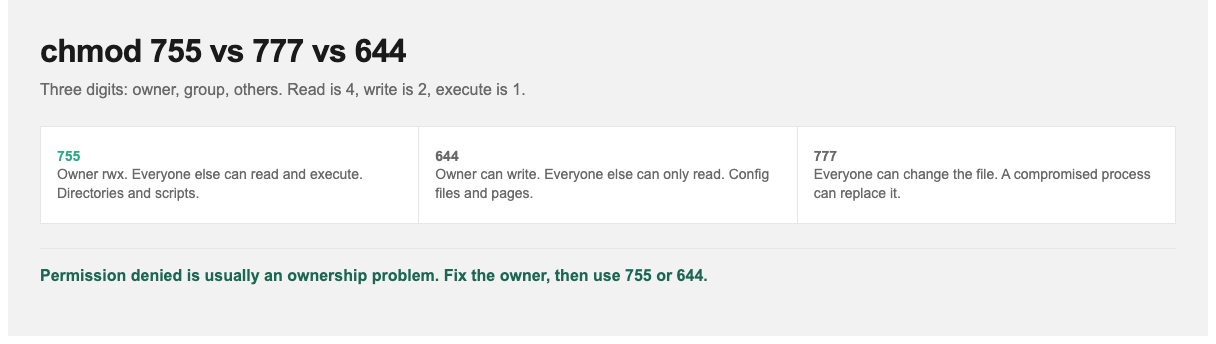
755 for directories and scripts. 644 for ordinary files. 777 is almost never the fix.
How the Numbers Work
Every file has three permission sets, always in this order: owner, group, others. Each set is one digit, made by adding:
| Permission | Letter | Value |
|---|---|---|
| Read | r | 4 |
| Write | w | 2 |
| Execute | x | 1 |
| None | – | 0 |
So 7 = 4+2+1 (read, write, execute), 5 = 4+1 (read, execute), 6 = 4+2 (read, write) and 4 = read only. chmod 754 means owner 7 (rwx), group 5 (r-x), others 4 (r–).
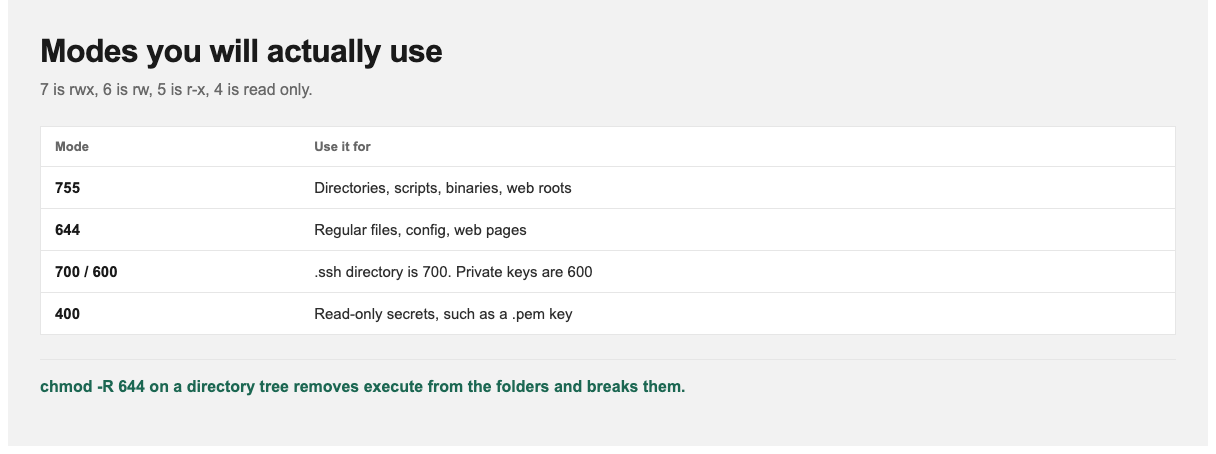
SSH refuses a private key other users can read. chmod 600 fixes it.
Chmod Calculator: Every Common Mode
| Mode | Symbolic | Owner | Group | Others | Typical use |
|---|---|---|---|---|---|
| 777 | rwxrwxrwx | rwx | rwx | rwx | Avoid. Anyone can modify or replace the file |
| 775 | rwxrwxr-x | rwx | rwx | r-x | Shared project directories where a team writes |
| 755 | rwxr-xr-x | rwx | r-x | r-x | Directories, scripts, binaries, web root folders |
| 754 | rwxr-xr– | rwx | r-x | r– | Scripts the group may run but others may only read |
| 750 | rwxr-x— | rwx | r-x | — | Directories private to owner and group |
| 700 | rwx—— | rwx | — | — | Private directories, e.g. ~/.ssh |
| 666 | rw-rw-rw- | rw- | rw- | rw- | Rarely appropriate. World-writable data file |
| 664 | rw-rw-r– | rw- | rw- | r– | Team-editable documents |
| 644 | rw-r–r– | rw- | r– | r– | Regular files, config files, web pages |
| 640 | rw-r—– | rw- | r– | — | Config files with secrets the service group reads |
| 600 | rw——- | rw- | — | — | Private keys, credentials files |
| 400 | r——– | r– | — | — | Read-only secrets, e.g. AWS .pem keys |
755 vs 777: Why the Difference Matters
The only difference is the write bit for group and others, and it is the difference that matters. With 777, any user or any compromised process on the machine can overwrite your file. On a web server, that means a vulnerable plugin running as the web user could replace your scripts with its own.
When something fails with “permission denied,” chmod 777 is tempting because it makes the error go away. The real fix is almost always ownership, not permissions. Make the right user or group own the file, then use 755 or 644:
sudo chown -R www-data:www-data /var/www/site
find /var/www/site -type d -exec chmod 755 {} \;
find /var/www/site -type f -exec chmod 644 {} \;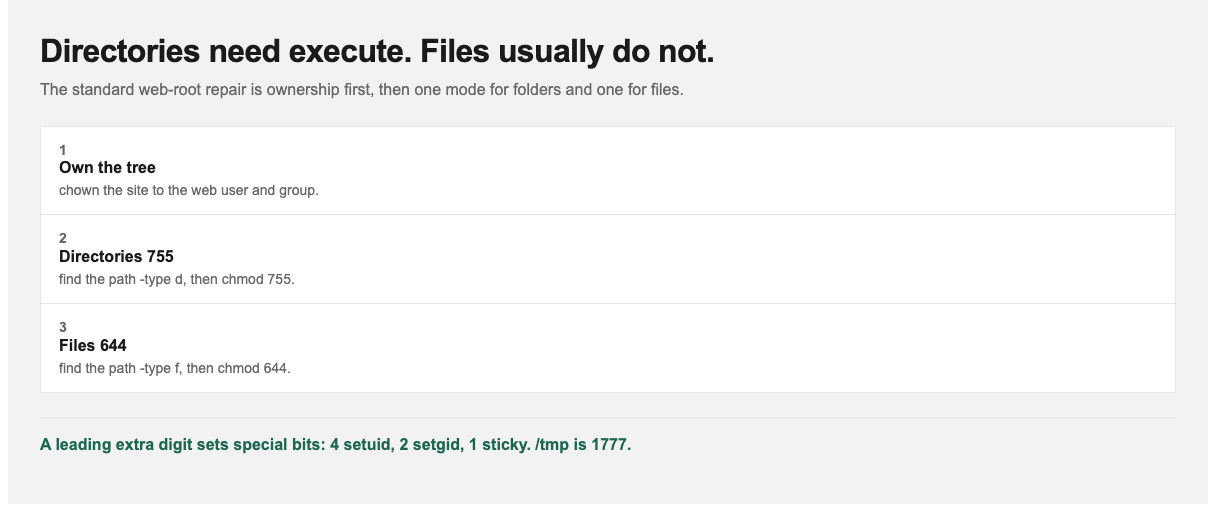
On a directory, execute means you can enter it. Without that bit, nobody can open the files inside.
755 vs 644: Directories vs Files
The execute bit means different things on files and directories:
- On a file, execute means “can be run as a program.” Plain documents and config files don’t need it, so use 644.
- On a directory, execute means “can be entered and its files reached.” Without it, users can’t
cdinto the directory or open files inside, even files they have permission to read. Directories need it, so use 755.
That is why the standard pattern is 755 for directories, 644 for files, and why running chmod -R 644 on a directory tree breaks it. The command removes execute from the directories too.
Commands You Will Actually Type
| Task | Command |
|---|---|
| Make a script executable for its owner | chmod u+x deploy.sh |
| Make a script executable for everyone | chmod +x deploy.sh (same result as 755 on a 644 file) |
| Lock down an SSH private key | chmod 600 ~/.ssh/id_ed25519 |
Fix the .ssh directory |
chmod 700 ~/.ssh |
| Remove write for group and others | chmod go-w file |
| Set permissions recursively (careful) | chmod -R 755 dir/ |
| Check current permissions | ls -l file or stat -c '%a %n' file |
SSH refuses to use a private key that other users can read. If you see “UNPROTECTED PRIVATE KEY FILE,” chmod 600 fixes it.
The Fourth Digit: Special Permissions
Sometimes you will see four digits, such as chmod 2775. The leading digit sets special bits:
- 4 = setuid: the program runs as the file’s owner.
passwduses this to edit/etc/shadow. - 2 = setgid: on a directory, new files inherit the directory’s group. This is useful for shared team folders (2775).
- 1 = sticky bit: on a directory, users can only delete their own files.
/tmpis 1777.
Use setuid sparingly. A setuid-root binary with a bug is a classic privilege-escalation route.
How StormWind Studios Approaches Linux Skills
Permissions are one of the first things that separate someone who can use Linux from someone who can safely run it. StormWind’s live Enterprise Linux 10 System Administration course covers users, groups, ownership and permissions alongside the rest of day-to-day administration. LPIC-1 Exam 101 prepares for the vendor-neutral certification, and Enterprise Linux Diagnostics and Troubleshooting covers the permission-denied problems you will meet in production.
Frequently Asked Questions
What does chmod 755 mean?
The owner can read, write and execute (7). The group and everyone else can read and execute (5). It is the standard setting for directories and scripts.
What does chmod 777 do?
It gives every user full read, write and execute access. It is a security risk on any shared or internet-facing system, and fixing ownership is almost always the better solution.
What is the difference between chmod 755 and 644?
755 includes execute permission and 644 does not. Use 755 for directories and executables, and 644 for regular files.
What permissions should an SSH private key have?
600 (owner read and write only), or 400. The ~/.ssh directory itself should be 700.
What does chmod +x do?
It adds execute permission for owner, group and others, subject to your umask. Use chmod u+x to add it for the owner only.
How do I calculate chmod numbers?
Add read (4), write (2) and execute (1) for each of owner, group and others. Read and execute is 4+1 = 5, so owner rwx plus group and others r-x gives 755.