Practical AI Use Cases for Project Managers (Keep Human Judgment in the Loop)
• Nathaniel Miller
Project managers are already using AI to draft status updates, summarize meetings, and organize risks. The hard part is not finding a tool. It is knowing where AI for project managers helps, where it creates risk, and where you still own the decision.
That is the core message from Ashley Hunt’s StormWind session, Using AI Without Losing Control: Practical Guidance for Project Managers. AI can speed up project work. It cannot replace accountability, stakeholder judgment, or your responsibility for what goes to the sponsor.
Use AI to support project work. Keep human judgment in the loop for anything that commits the team or the business.
Where AI Fits in Everyday PM Work
Ashley’s session frames AI as a support layer, not a substitute for the PM role. Useful starting points:
- Planning: Turn rough scope notes into draft WBS outlines, milestone lists, or checklist questions you still validate with the team.
- Communication: First drafts of status emails, executive summaries, and meeting recaps that you edit for accuracy and tone.
- Documentation: Summaries of long threads, decision logs, and charter sections from notes you provide (not from data you should not paste in).
- Risk management: Brainstorm risk categories, suggest mitigation ideas, or rephrase risks for a register you review line by line.
- Decision support: Compare options in a structured table, surface assumptions, or draft pros and cons you stress-test with stakeholders.
The pattern is consistent: AI proposes. You verify, edit, and sign off.
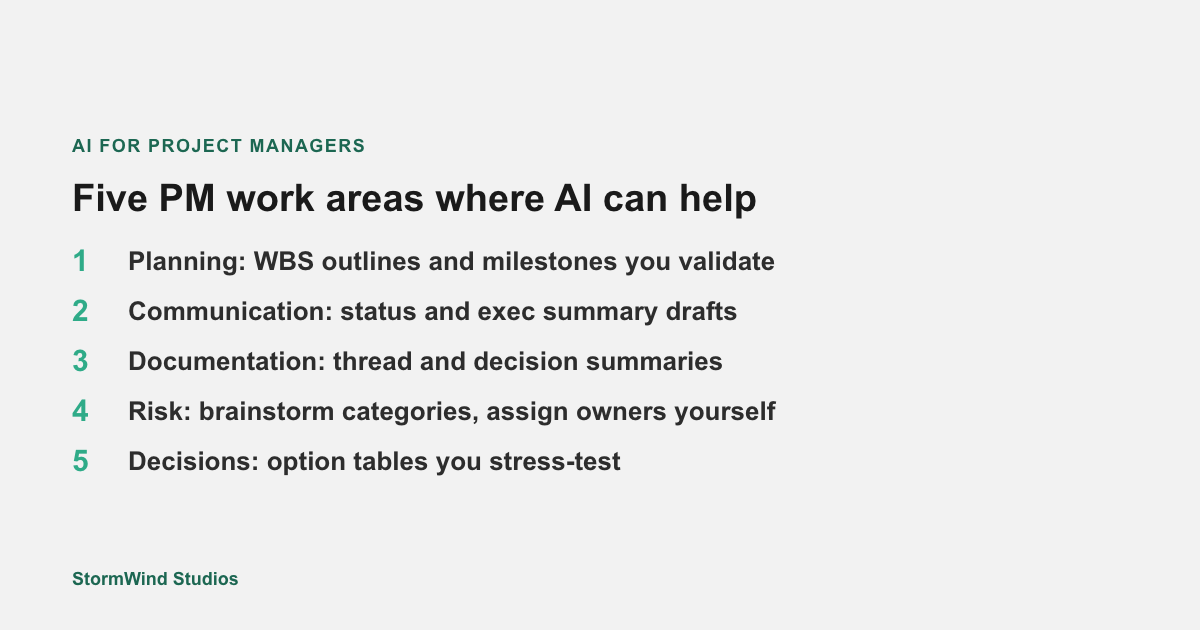
Planning, status, docs, risk, and decisions are all fair game when you treat AI output as a draft, not a deliverable.
A Simple Workflow: Draft, Verify, Own
Before you paste anything into a chat tool, ask three questions Ashley’s session emphasizes:
- Is the input safe to share? No client secrets, HR exports, or regulated data in public tools.
- Can I verify the output? Dates, numbers, dependencies, and names need a human check against source systems.
- Am I still accountable? If this goes to a sponsor or customer, your name is on it, not the model’s.
A practical loop:
- Provide sanitized context (redacted notes, generic examples, or your own summary).
- Ask for a specific format (bullets, RACI table, risk register columns).
- Edit for accuracy against plans, tickets, and conversations.
- Record what AI helped with when your org cares about audit trails or client-facing work.
Use Cases That Usually Pay Off
These tend to save time without hiding accountability:
| Use case | AI can help with | You still own |
|---|---|---|
| Weekly status | Draft narrative from your bullet notes | Facts, blockers, and commitments |
| Meeting notes | Summarize themes and action items | Assignees, due dates, and disputes |
| Charter sections | Outline objectives and assumptions | Scope boundaries and approvals |
| Risk workshops | Seed a risk list by category | Probability, impact, and owners |
| Stakeholder updates | Shorten long updates for executives | What to escalate and what to omit |
StormWind’s live session also covered when AI is useful, risky, or off limits, plus common pitfalls (accuracy, data, privacy, overreliance). The replay walks through those guardrails in PM terms.
How This Ties to Training
Ashley Hunt is a Senior Project Management Instructor at StormWind and author of PMP, ACP, and Project+ training materials. She has helped more than 10,000 individuals earn their PMP certification and teaches AI for project management alongside Agile, Scrum, and PMI content.
If you are building formal PM skills alongside responsible AI use, common StormWind paths include PMP Official Exam Prep and PM Fundamentals: Waterfall/Predictive Project Management. Early-career PMs may start with CAPM Official Exam Prep.
Watch the full session
Ashley’s full recording is free to watch on demand (no signup required to play):
On that page you can also join the list for upcoming StormWind webinars on project management, PMP, and AI for PMs.
Next Steps for Your Team
- Pick one use case (status, risk, or docs) and run the draft-verify-own loop this week.
- Agree as a team what data never goes into public AI tools.
- Add a one-line “human reviewed” habit before anything leaves your desk.
- Watch the replay with your PMO or delivery lead and compare notes on accountability.
Questions about team training paths: [email protected].