How to Study for the CCNA: A 10-Week Study Plan
• Nathaniel Miller
The CCNA 200-301 is a single 120-minute exam covering six topic areas, and it includes hands-on simulation questions you cannot pass by reading alone. If you want a practical answer to how to study for CCNA, start here: it is forward-only, so you cannot go back and change an answer, and about a third of your prep time needs to be in a lab.
This 10-week plan assumes some IT background and about 12 hours a week. Adjust the calendar if you are new to networking. Do not cut the lab proportion. That is the part that fails people.
StormWind’s live CCNA 200-301 course is 40 hours across nine sessions. The Study Plan on that course page includes a Placement Exam, the full course, CCNA Exam Crash (12 hours with Raymond Lacoste), and a Readiness Exam. Use this calendar to structure the hours around that, or as a self-study map if you are prepping on your own.
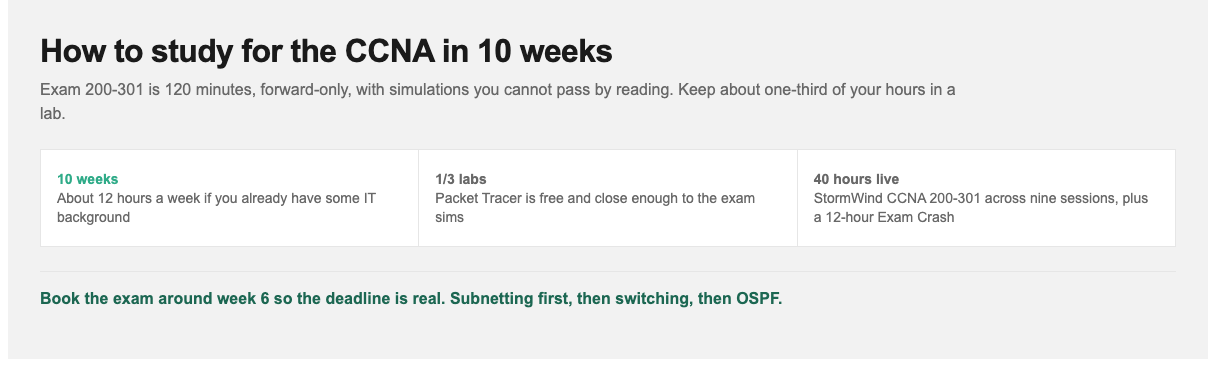
Forward-only exam. Simulations you cannot pass by reading. Book around week 6 so the deadline is real.
How Long Does It Take to Study for the CCNA?
| Your starting point | Study hours | At 12 hours per week |
|---|---|---|
| Working network technician | 100 to 150 | 8 to 12 weeks |
| IT generalist / help desk background | 150 to 200 | 12 to 16 weeks |
| New to networking entirely | 200 to 300 | 16 to 25 weeks |
The plan below is the middle case: 10 weeks at around 12 hours per week. If you are new to networking, CompTIA Network+ is the cleaner first step, then CCNA. That sequence is laid out in our IT certification roadmap for 2026.
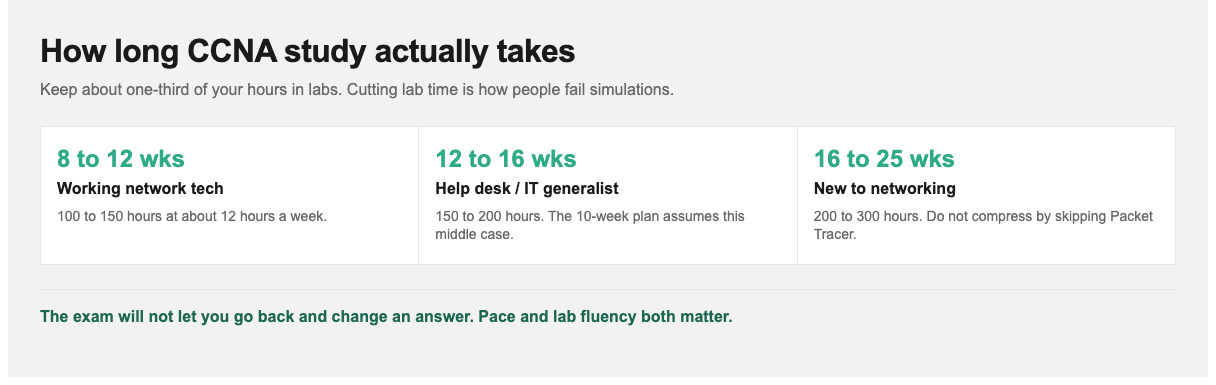
Keep about one-third of your hours in labs. Cutting lab time is how people fail simulations.
The Six CCNA Exam Domains
| Domain | Weight | Coverage |
|---|---|---|
| Network fundamentals | 20% | OSI and TCP/IP models, cabling, IPv4/IPv6 addressing, subnetting, wireless basics |
| Network access | 20% | VLANs, trunking, EtherChannel, spanning tree, wireless architectures |
| IP connectivity | 25% | Routing concepts, static routing, OSPF, first-hop redundancy |
| IP services | 10% | NAT, NTP, DHCP, DNS, SNMP, syslog, QoS basics |
| Security fundamentals | 15% | Access control lists, port security, VPN concepts, wireless security, Layer 2 threats |
| Automation and programmability | 10% | Controller-based networking, REST APIs, JSON, configuration management concepts |
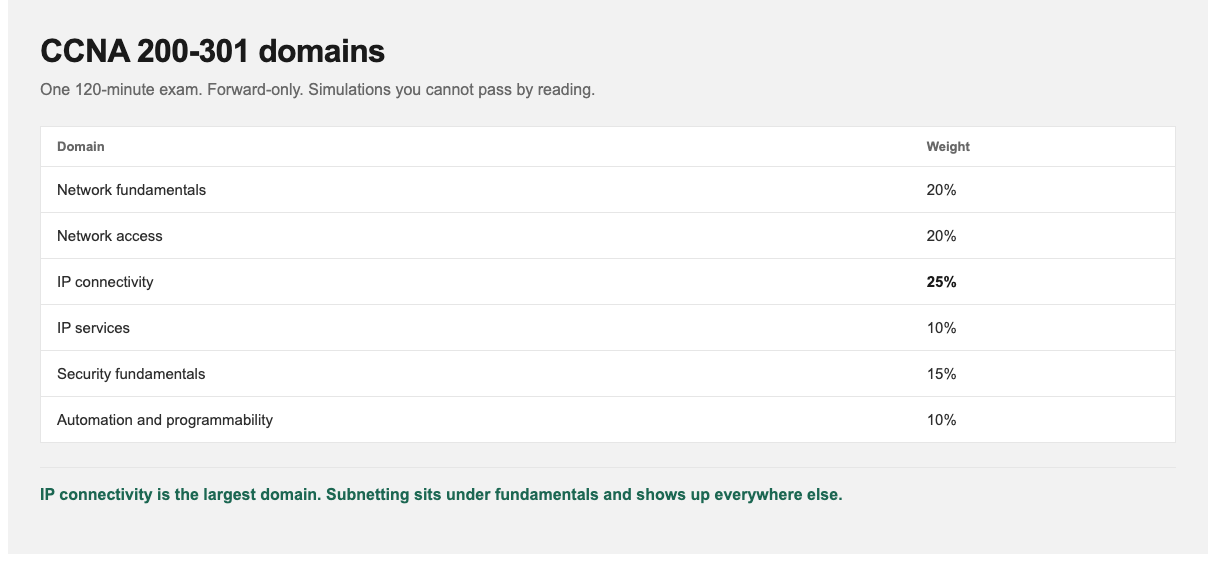
IP connectivity is the largest domain. Subnetting, listed under fundamentals, shows up everywhere else.
IP connectivity is the largest single domain at 25%, and subnetting underpins nearly everything else. That is why the first two weeks are not optional.
Weeks 1 to 2: Network Fundamentals
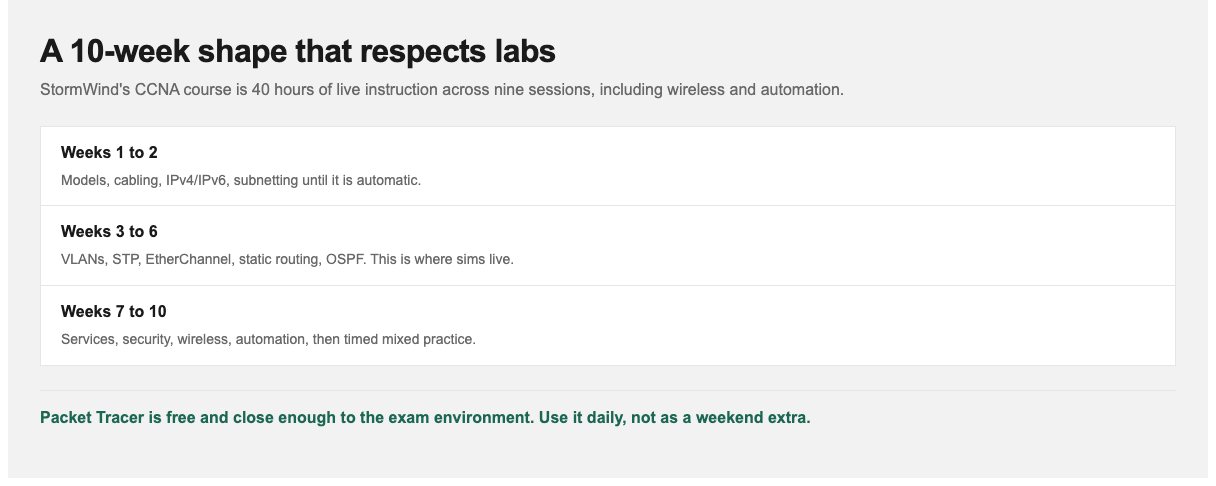
StormWind’s live CCNA course is 40 hours across nine sessions, including wireless and automation.
Week 1: OSI and TCP/IP models, encapsulation, cabling and media types, and how switches and routers differ. Get comfortable with what happens to a frame as it crosses a network. That mental model makes everything later easier.
Week 2: subnetting, and nothing else until it is automatic.
Subnetting is the single highest-leverage skill on the exam. It appears directly, and it is embedded in routing, ACL, and troubleshooting questions throughout. Speed matters. On a forward-only, time-limited exam, spending four minutes working out a subnet is a real problem.
Target: given any address and mask, produce the network address, broadcast address, valid host range, and usable host count in under 30 seconds, on paper, without a calculator. Practice 20 problems a day until that is true. Learn IPv6 addressing and abbreviation rules the same week.
This maps to the early live sessions in StormWind’s CCNA course: foundations, switching/routing/IOS, and IPv4/subnetting/VLSM.
Weeks 3 to 4: Switching
Week 3: VLANs and trunking. How switches learn MAC addresses, VLAN creation and assignment, 802.1Q trunking, native VLANs, and inter-VLAN routing (both router-on-a-stick and switched virtual interfaces). Configure all of it in a lab. This is prime simulation-question territory.
Week 4: Spanning tree and EtherChannel. STP’s purpose, root bridge election, port states and roles, RSTP improvements, PortFast and BPDU Guard, then EtherChannel with LACP.
Spanning tree is where many candidates go passive because it is conceptually dense. Resist that. Build a lab with a redundant link, watch a port get blocked, then break the primary path and watch convergence. Ten minutes of that teaches more than an hour of reading about it.
Live instruction covers this as VLANs/trunking, then STP/EtherChannel/DHCP.
Weeks 5 to 6: Routing
Week 5: Routing fundamentals and static routing. How a router builds and uses its routing table, longest-prefix matching, administrative distance, static and default routes, and IPv6 static routing. Get comfortable reading show ip route output fluently. It appears constantly.
Week 6: OSPF. Single-area OSPFv2 configuration, neighbor adjacency and the states it passes through, DR/BDR election, cost and metric calculation, and passive interfaces. Also cover first-hop redundancy protocol concepts.
OSPF is the most heavily tested protocol on the exam. Know not just how to configure it but how to troubleshoot it. Mismatched areas, mismatched subnets, and mismatched timers are the classic adjacency failures, and they make excellent exam questions.
Week 7: Wireless and IP Services
Wireless: 802.11 fundamentals, the three AP architectures (autonomous, controller-based, cloud-managed), WLC operation, and wireless security standards including WPA2 and WPA3. If you need a plain-English refresher on what an AP actually does, see our guide to wireless access points.
IP services: NAT and PAT configuration, DHCP as both server and relay, NTP, DNS, SNMP, syslog severity levels, and QoS concepts. These are individually small topics. The goal is broad familiarity, not depth.
StormWind’s later CCNA sessions cover services/QoS/IPv6, then wireless plus automation.
Week 8: Security and Automation
Security fundamentals: standard and extended ACLs (configure them, and know the implicit deny and how order affects behavior), port security, DHCP snooping, dynamic ARP inspection, VPN concepts, and device hardening.
Automation and programmability: this domain trips up traditional networkers, and it is only 10%, so aim for solid conceptual coverage rather than depth. Understand controller-based versus traditional architectures, what a REST API is and how it is used, how to read JSON, and the role of tools like Ansible at a conceptual level. You do not need to write code.
Weeks 9 to 10: Labs and Practice Exams
Split this final phase deliberately.
Week 9, consolidation labs. Build a complete network from nothing: multiple VLANs, trunking, inter-VLAN routing, OSPF between routers, DHCP, NAT to a simulated internet, and ACLs restricting traffic between segments. Then deliberately break things and fix them. Configuration under time pressure is the actual simulation-question skill.
Week 10, timed practice exams. Full-length, timed, in one sitting.
Reading your scores:
- Below 70%: identify weak domains and return to them.
- 75 to 80%: close. Focus on wrong-answer review.
- 85%+ consistently: book the exam.
Practice the forward-only discipline. Because you cannot revisit questions, you need a decision rule: give a question your best effort, commit, move on. Candidates used to flagging and returning often lose time relearning this habit under pressure. Build it now.
If you are on StormWind’s Study Plan, this is where CCNA Exam Crash and the Readiness Exam earn their keep: concentrated review, then a check that you are actually ready to sit 200-301. Exam Crash is not a replacement for the full 40-hour course.
Labs: Packet Tracer vs Real Gear vs Cloud
You cannot pass the CCNA without hands-on practice. Here is an honest comparison of your options.
| Option | Cost | Best for | Limitation |
|---|---|---|---|
| Cisco Packet Tracer | Free | Nearly all CCNA topics; the pragmatic default | Simulated, not real IOS. Some commands and behaviors are absent |
| CML / EVE-NG | Moderate | Real IOS images; closest to production behavior | Requires capable hardware and setup effort |
| Used physical gear | $150 to $500 | Physical cabling and console experience | Noisy, power-hungry, often older software versions |
| Cloud / rented labs | Subscription | Guided exercises with no setup | Ongoing cost; less freedom to experiment |
Packet Tracer is sufficient to pass the CCNA. It is free, and it directly resembles the exam’s simulation environment. Do not let the pursuit of a perfect lab delay you. Candidates who spend three weeks building an EVE-NG environment have spent three weeks not studying. If you are heading toward CCNP ENCOR or production work, graduate to real IOS images afterward.
Studying Around a Full-Time Job
- Two weekday sessions plus one weekend block. Ninety minutes on weekday evenings, three to four hours at the weekend. Consistency beats intensity.
- Protect the weekend block for labs. Configuration work needs uninterrupted time. Reading can survive interruption.
- Subnetting fits in the gaps. Practice problems work on a commute or over lunch. They need paper, not a lab.
- Use work as practice. If you have any access to network gear at work, read live configurations. Real topologies teach faster than synthetic ones.
- Book the exam at week 6. An open-ended timeline is the most common reason people study for the CCNA for two years without sitting it.
Exam Day
Practical points that matter:
- Pace against the clock early. With roughly 100+ items in 120 minutes, you have about a minute per question. Simulation items take longer, so build a buffer on the multiple-choice items early on.
- Do not stall on a simulation. If a configuration task is not coming together, complete what you can and move on. It is one item.
- Bring valid photo ID matching your registration exactly.
- If testing online, complete the OnVUE system check in advance and prepare a clear room. Doing this on exam morning is an avoidable risk.
Cisco does not publish a passing score. Scores are reported on a scaled range and the cut score is set by Cisco’s own process. Aim for consistent strength across all six domains rather than targeting a specific number.
Live CCNA Prep at StormWind Studios
Simulation questions are where live training earns its keep. Reading about OSPF adjacency failures teaches you the list of causes. Watching an instructor troubleshoot a broken adjacency in real time, narrating what they check and why, teaches you the diagnostic sequence. That sequence is what the exam actually tests. The same applies to spanning tree and ACL ordering, both of which are far easier to understand when someone breaks them in front of you.
StormWind’s CCNA 200-301 course is 40 hours of live instruction. The nine sessions run foundations, switching/routing/IOS, IPv4/subnetting/VLSM, VLANs/trunking, STP/EtherChannel/DHCP, static/OSPF, ACLs/security, services/QoS/IPv6, and wireless plus automation. The Study Plan adds a Placement Exam so you are not repeating what you already know, CCNA Exam Crash (12 hours with Raymond Lacoste) for concentrated review, and a Readiness Exam before you book Pearson VUE.
For teams, cohort training also means your network staff finish with a common troubleshooting approach rather than individual habits.
Install Packet Tracer today (it is free) and start subnetting practice this week, regardless of where else you are in the plan. Book the exam around week 6 so the deadline is real. Then work the domains in order, keeping roughly a third of your study time in labs.
For cost, salary, and recertification, see CCNA certification cost and salary in 2026. For more information, visit stormwindstudios.com or reach out to [email protected].
Frequently Asked Questions
How long does it take to study for the CCNA?
Most candidates need 150 to 200 hours. Working network technicians can pass with 100 to 150. Those new to networking should plan for 200 to 300.
Is Packet Tracer enough to pass the CCNA?
Yes. It covers nearly all exam topics, it is free, and it resembles the exam’s simulation environment. Real IOS images are better for production skills but are not required to pass.
How important is subnetting?
It is the highest-leverage topic on the exam. It is tested directly and embedded throughout routing, ACL, and troubleshooting questions. Aim to solve any subnetting problem in under 30 seconds without a calculator.
Can I go back and change answers on the CCNA?
No. The exam is forward-only. Once you advance, you cannot return to a question or revise an answer. Answer deliberately before moving on.
What is the passing score?
Cisco does not publish it. Scores are reported on a scaled range and the cut score is set by Cisco’s own process. Aim for consistent strength across all six domains rather than targeting a specific number.
Do I need any certification before the CCNA?
No. There are no prerequisites. Cisco recommends around a year of hands-on experience, but that is a recommendation, and beginners take it regularly. If you have zero networking background, Network+ first is still the smoother path.
How much of the exam is automation?
About 10%, and it is conceptual: controller-based networking, REST APIs, JSON structure. You do not need to write code.
Can I follow this plan with StormWind’s CCNA course?
Yes. The 10-week calendar is built to sit around StormWind’s live CCNA 200-301 course (40 hours, nine sessions). The Study Plan on that page adds a Placement Exam, CCNA Exam Crash (12 hours with Raymond Lacoste), and a Readiness Exam. Use the weekly tasks here for labs and subnetting between live sessions. You can also run the plan as self-study if you are not in a cohort yet.